Wired. Twelve keys. Windows. Nothing to install.
A macro deck that is really a keyboard.
PixelDeck is not an app pretending to be hardware. Every shortcut it fires leaves the
device as a genuine USB keystroke, over a cable, from a real HID controller. Your PC
cannot tell it apart from the keyboard you already own — because at that moment there
is nothing to tell apart.
Which is why it works where the others stop: on a work machine you are not allowed to
install anything on, in a window running as administrator, in a fullscreen game. The
shortcuts live on the deck’s own card — not in a program that has to be running.
In development — no public release yet.
Companion app: Windows 10/11; the deck itself is a USB keyboard anywhere.
Join the waitlist
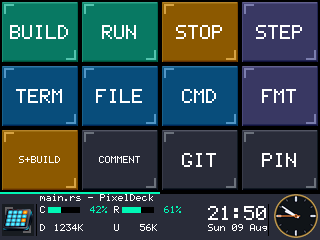
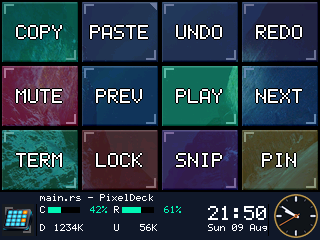
320 × 240, actual pixels. Twelve 80 × 64 tiles, a status bar that costs you
no buttons, and — on the seam above it — which of this profile’s two pages you are on.
Three things a deck that needs software cannot do
Works with nothing installed
Every profile, page and icon lives on the deck’s own SD card. On most decks the keys are
a screen the software draws on — close it and they go blank. Here there is nothing to
close. Plug it into a machine you have no rights on and the twelve tiles come up and
fire their shortcuts.
Chords and macros run from the card. Media keys and PC-side actions — launch, shell,
HTTP, typed text — are the companion’s job, so those need it running. We would rather
say which half than let you find out.
Real keystrokes
The controller enumerates as a USB keyboard and presses keys in hardware. That means
fullscreen games, elevated windows, the login screen and firmware setup — all the places
synthetic input is dropped or refused.
Software that types for you sends synthetic input: Windows stops it at the
boundary of anything running as administrator, and anti-cheat is built to ignore it.
This is the difference the cable buys.
No network at all
No port, no pairing, no firewall rule, no “both devices must be on the same subnet”,
no VPN incompatibility, no local-network permission prompt. It is a cable.
Connection trouble is the single largest support category for phone-based decks. Here
it is not a smaller category — it is an absent one. What IT will want to
know.
The status bar is free real estate
The bottom 48 rows are not a tile you gave up. They show the foreground window’s
title — the actual title, not the executable name — that application’s own icon,
live CPU, memory, network and disk, and an anti-aliased analogue clock with the date.
Profiles follow whatever you are looking at. Switch to your editor and the deck is an
editor. Alt-tab to the browser and it changes under your hand. Pin it when you would rather
it stopped.
A profile can put one picture behind all twelve tiles and the strip. It is not a layer the
device composites — there are no spare pixels for that — so it is baked into each tile’s art
before anything is sent. The tiles wash their own colour over it, by however much you say.
One executable, and it is optional
The companion is a single Windows program — one file, installed or portable, whichever you
prefer. No account, no background service you did not ask for. It sits in the notification
area and lights up when a deck is plugged in. Everything below is what it adds on top of a
deck that already works without it.
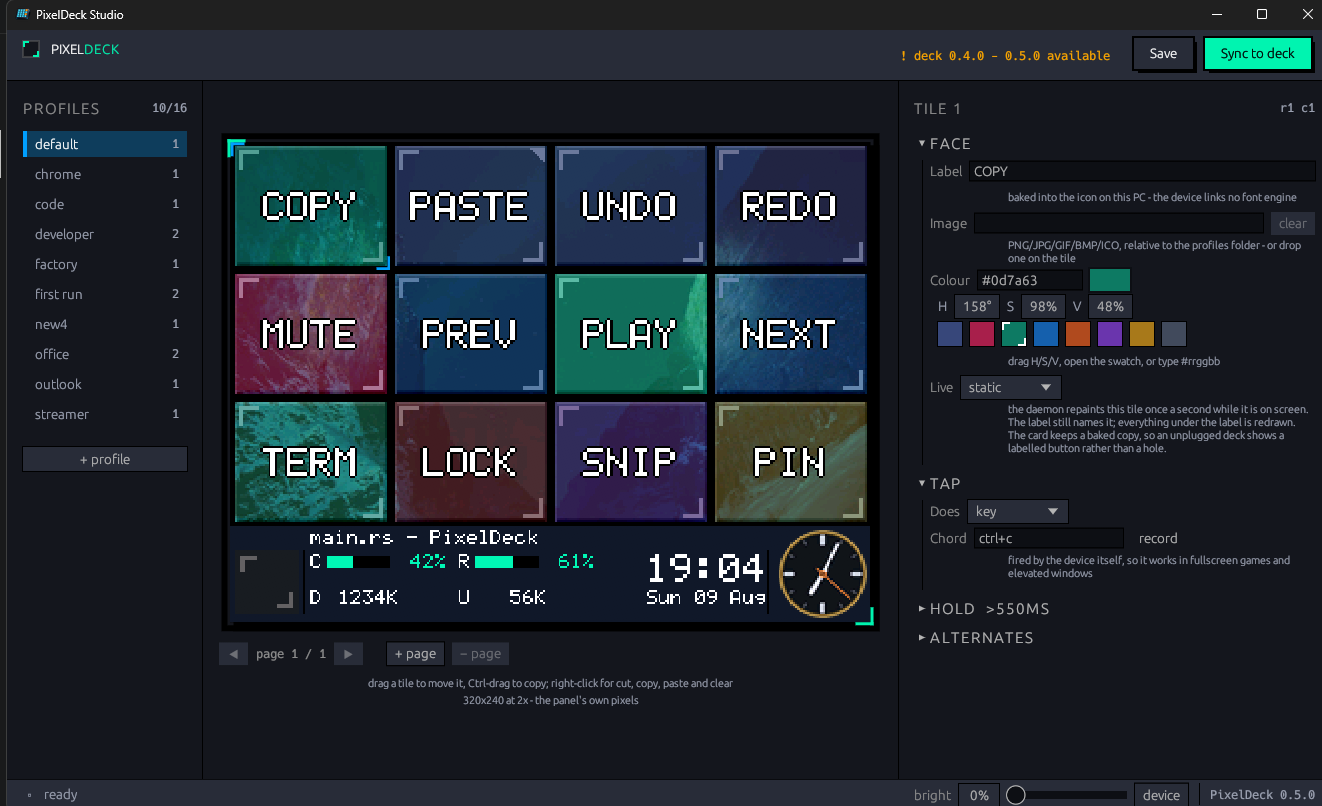
The preview in the middle is not a drawing of the deck. It is the deck’s own bytes — the same
art the sync pushes, through the same RGB565 the panel stores, banding and all. What you are
looking at is what will light up.
Profiles that follow the work
Four profiles are written for you on first run. A profile can follow an application, or
narrow to a window title — which is the difference between a layout per program
and a layout per task.
Title matching is also the only way to follow a window running as administrator.
Studio
Lay the deck out by dragging tiles around a picture of it. Drop one tile on another and
they swap; hold Ctrl and it copies. Drag an image onto a tile to make it the icon, or
onto the status bar to make it the backdrop.
Brightness, notifications and reflashing are in the same window. Dropping a tile outside
the grid is never a delete.
Macros and live tiles
A tile can hold a tap action, a separate long-press action, or a macro of up to sixteen
steps with delays. Macros replay from the card as real keystrokes, so they reach the same
places a single shortcut does. Swipe the grid sideways for the next page — the deck does
that itself, off the card, whether the companion is running or not.
Media, timer, disk and meeting tiles redraw once a second — only the pixels that changed
travel down the cable.
Your calendar, one tap away
Point it at a published calendar address and a tile counts down to the next meeting. The
ring turns amber five minutes out and pulses once it has started. Tap it and the call
opens.
Teams, Zoom, Meet, Webex and Whereby links are recognised. Works with Google Calendar,
Microsoft 365, Outlook.com, Fastmail and iCloud.
Specifications
| Display | 2.8″ 320 × 240 TFT, resistive touch |
|---|
| Layout | 12 tiles (4 × 3) at 80 × 64, plus a 320 × 48 status bar |
|---|
| Controller | ATmega32U4, native USB HID |
|---|
| Connection | USB. Only USB. |
|---|
| Storage | microSD, included and pre-provisioned — profiles, pages and icon art live on the device |
|---|
| Per tile | Tap action, hold action, or a macro replayed as real keystrokes |
|---|
| Pages | Swipe sideways to turn the page — on the device, so it works with the software closed |
|---|
| Without the companion | Chords, macros, page turns and profile switches all run from the card. Media keys and PC-side actions do not — those are what the companion is for |
|---|
| Companion | One Windows executable, as an installer or a portable ZIP. No account, no service. |
|---|
| Companion OS | Windows 10 or 11. The deck itself needs no software at all. |
|---|
| Updates | Firmware and companion over the same cable, from the same executable |
|---|
Firmware and companion are versioned together, so a mismatch is something the deck says on
its own screen rather than something it does quietly.
The object on the desk
A wedge that leans the panel toward you, with the cable leaving through the back. Nothing
on it opens, nothing on it blinks, and the only moving part is the card under the lid.
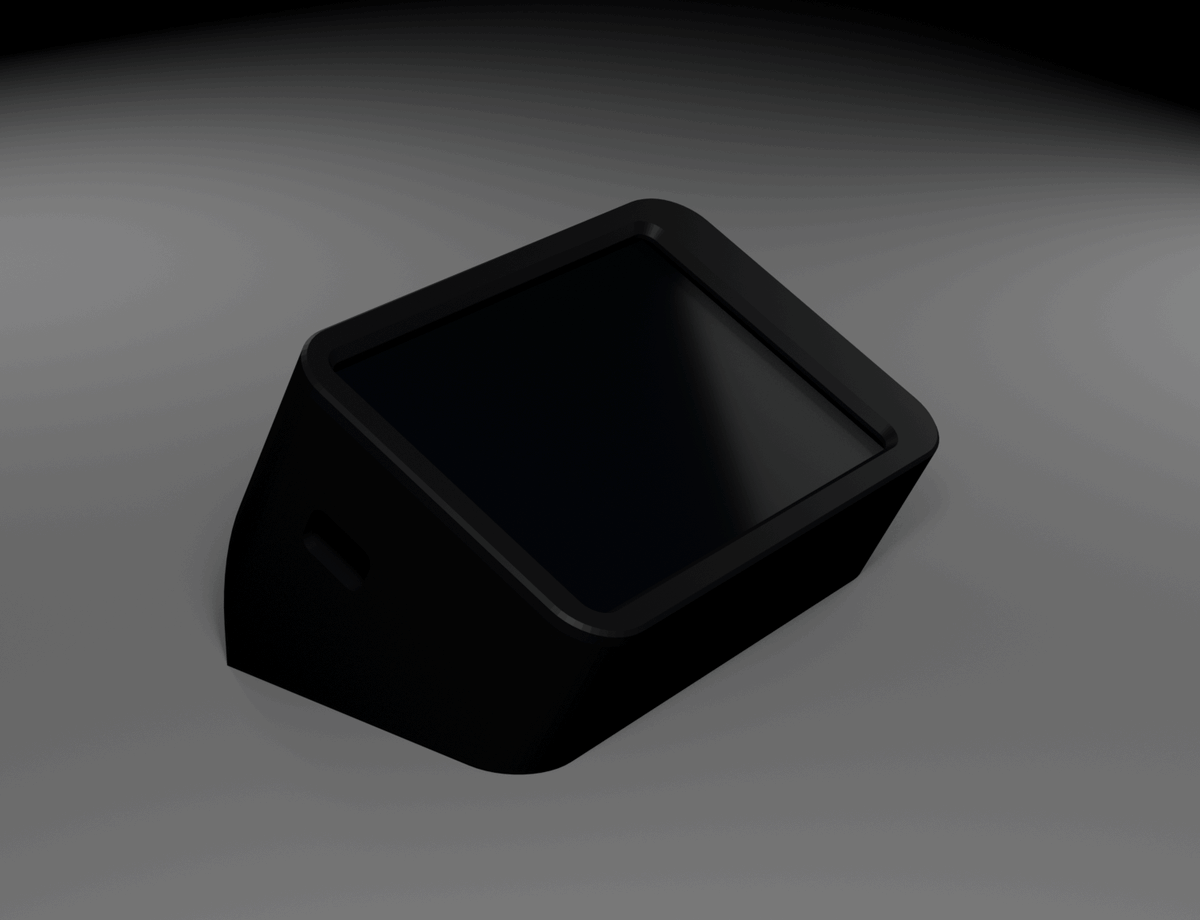
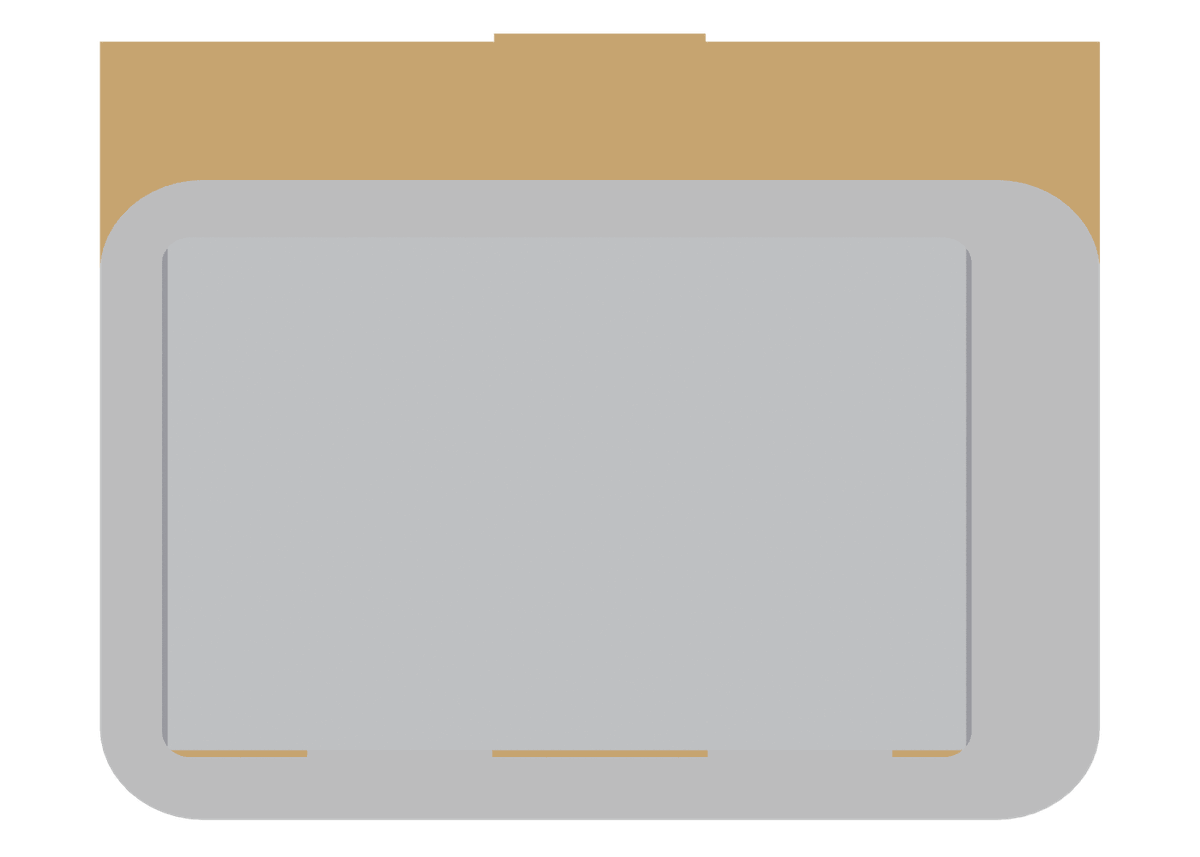
Renders of the production housing from its CAD model — not photographs. The first units are
printed from exactly this geometry.
What happens if this stops
A fair question to ask a small company, and one this market has taught people to ask: decks
have been bought, discontinued and frozen at a final software version while the hardware on
the desk still worked.
Most of the answer is structural rather than a promise. There is no server to switch off and
no account to deactivate — a PixelDeck talks to one program on your own machine, over a cable.
The configuration is a file on a memory card you can take out and read. The companion is a
single executable you already have a copy of, and it runs from a folder without installing.
Nothing here stops working because something of ours does.
The card layout is documented in the repository, so a deck outlives any particular version of
the software that fills it.
Tell me where to send it
There is no release date yet and no store to point you at. The first production run is
being prepared — the waitlist hears first, and once. Leave an address; when there is
something to buy, you will know. Not a newsletter.
● You are on the list. One email, when it ships.
That address did not look like an address. Check it and try again.
Your name and address are stored on this site's own server and used once, to tell you when
there is something to buy. Beyond that the site keeps a daily count of page visits and
downloads — a number per page per day, nothing more. No cookies, no third parties, no
analytics service, and nothing that identifies you. You can
take your address off the list yourself, any time.